PROCESS HALL · LIVE24.8 Hz
Pump P-204Running · 24.8 HzVFD / status
See the flow instantly
Process movement, equipment state and bottlenecks stay visible without opening extra screens.
Turn signals from industrial devices into local alarms, recorded history and clear trends — alongside your existing control system.
 PROGNODELOCAL CORE
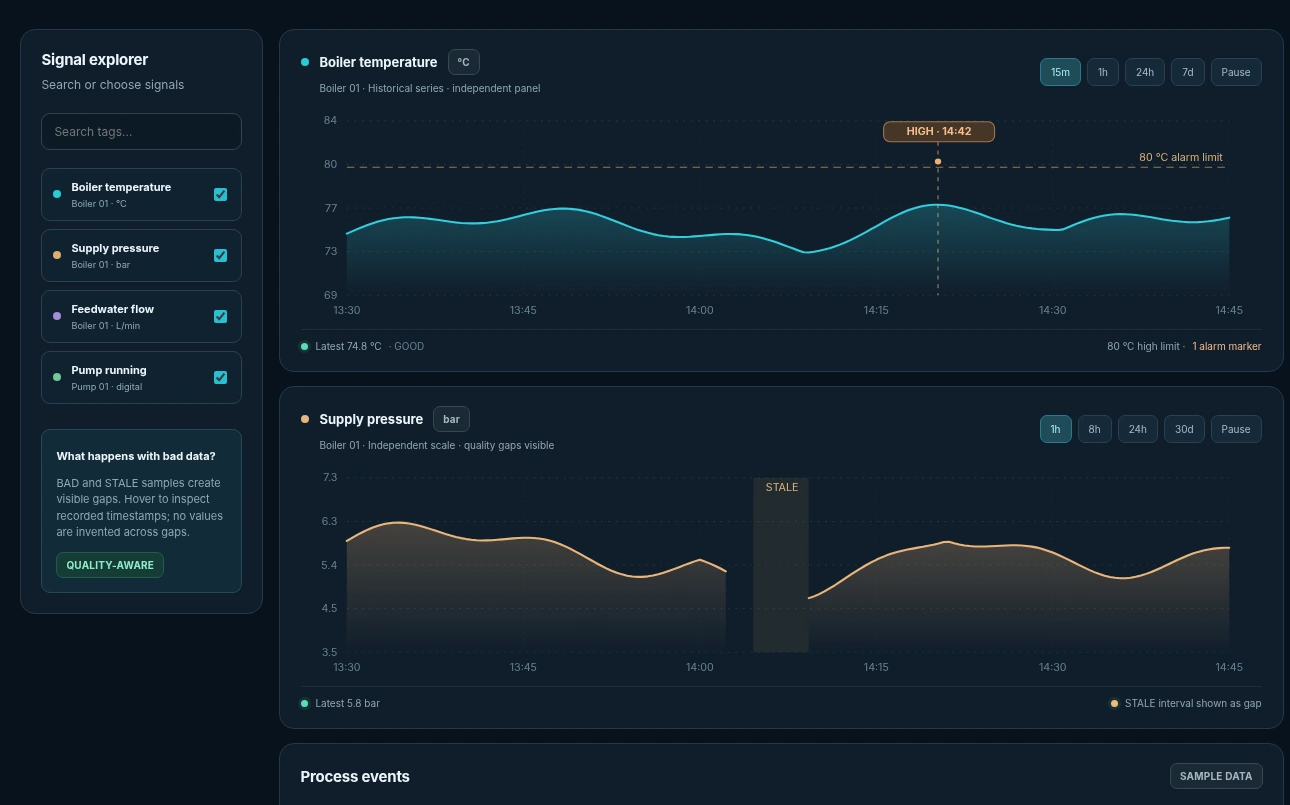
Inspect signals in one workspace. Follow alarm events on their timeline, spot data gaps and understand the history behind each change.
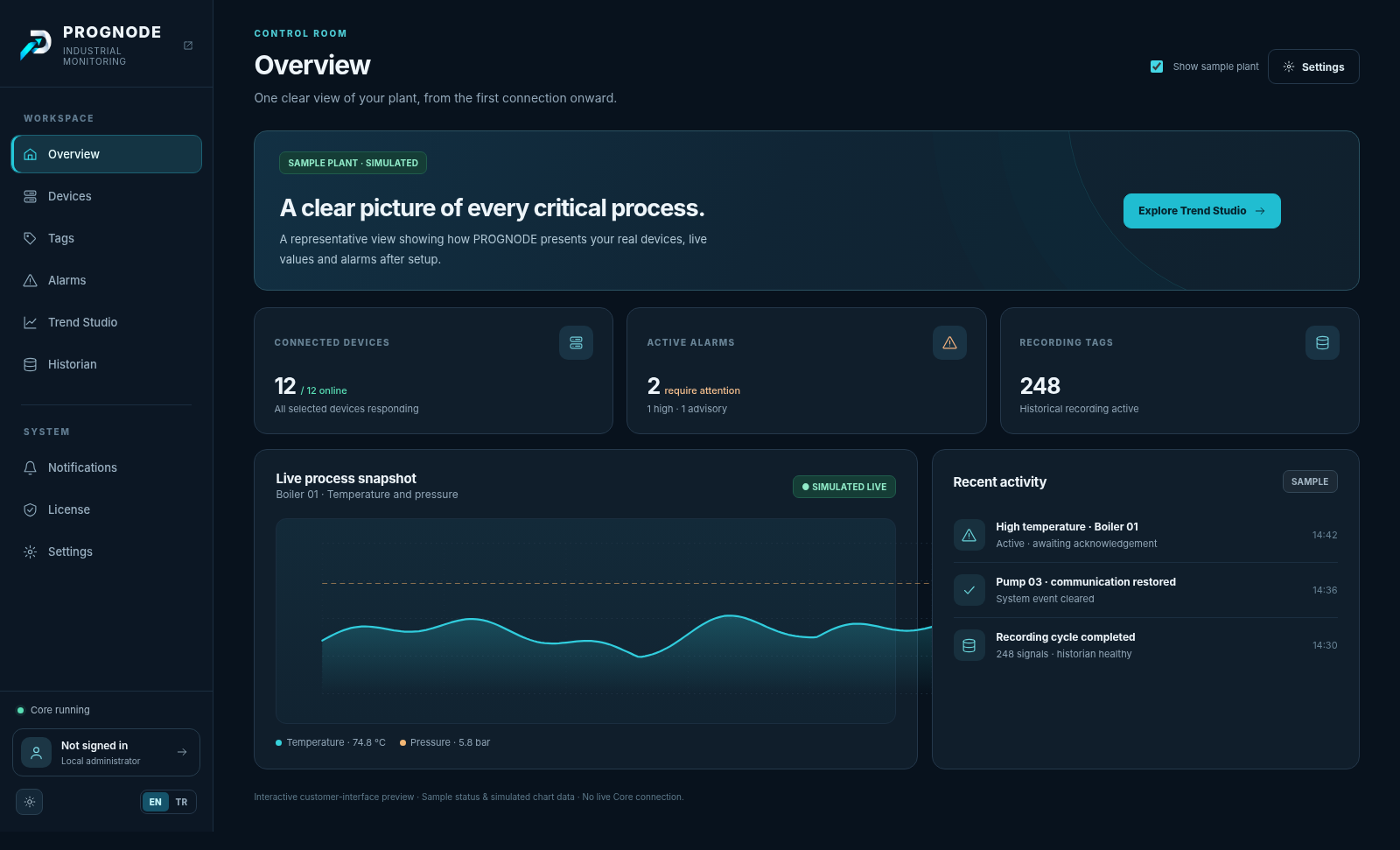
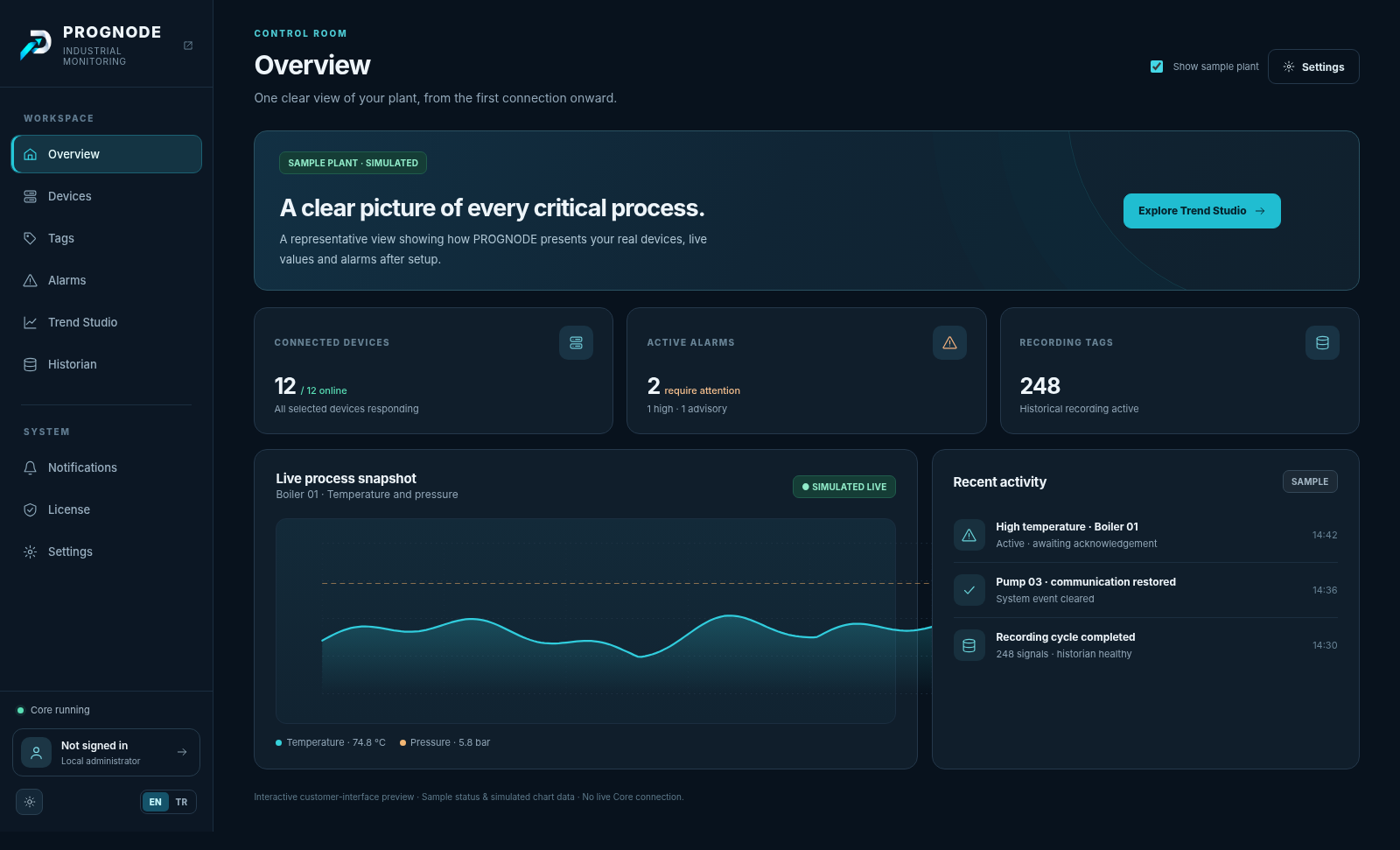
Review device health, active alarms and recorded signals from the on-site Core. Scroll to explore the sample interface.
Explore device health, active alarms and historian context together in the local workspace.
See the flow, equipment state and key events in one calm view.
Hover a process point to trace its live data path into PROGNODE.
Process movement, equipment state and bottlenecks stay visible without opening extra screens.
See remote assets, health and live status without visual clutter.
Signals from connected industrial devices reach the on-site PROGNODE Core, where monitoring and recording run locally.
Launch PROGNODE without turning it into a SCADA project. With a ready network and register list, the target is a working alarm + historian flow in about 15 minutes.
Core service and local UI are ready.
See alarms, acknowledgements and local alarm history.
Record process values locally and turn them into trends.
Local monitoring and recording are designed to continue when the browser or cloud is unavailable.
PROGNODE Core runs monitoring, alarm evaluation and historian recording on-site. Cloud services support accounts and licensing; optional remote services have their own data-flow boundaries.
LOCAL RUNTIMEPROGNODE Server / CoreOperator stations, engineering laptops and wall displays can open the PROGNODE interface over the customer LAN. They talk to the local Core — not to the cloud.
Browser UI over LAN · local process pathNO PROCESS DATA
Secure pairing on your site network. No paid remote seat required for local access.
Site network · HTTPS verified
PROGNODE MOBILECore verifiedReady to pairClients on the same network connect directly to the Core. Off-site, PROGNODE Remote Access enables secure notifications, alarm ACK and remote client access.
Choose a 100, 250 or 500 configured-tag tier, then select Alarm Monitoring, Historian or both. Confirm tag-counting rules before purchase.
Real-time alarm visibility and local alarm history.
Complete operational visibility under one license.
Local recording, trends and historical analysis.
Off-site mobile notifications, alarm acknowledgement and Windows Client access. On-site LAN access remains included and uses no remote seats.
An on-site layer for alarms, historical data and trends alongside existing control systems — for machine builders, integrators and industrial sites.
Connecting your first PLC? Planning alarms across several machines? Tell us what you're working with. No generic sales pitch — start with your actual setup.
“Can I connect my existing Siemens PLC without changing its program?”
Share the CPU model, connection type and what you want to monitor. We'll discuss the practical options and any limitations.
Core monitoring, alarm evaluation and historian recording run on-site. Online services are used separately for account, licensing sync and optional remote access.
Core monitoring and historian storage take place on-site. Optional remote notifications or remote access may transmit selected alarm details and connection metadata; the exact data-flow inventory will be documented before launch.
Pricing uses configured-tag tiers of 100, 250 and 500; higher capacities are quoted separately. The treatment of disabled, derived and system tags will be published in the Licensing documentation before paid launch.
Connection support depends on the protocol, device model, firmware and required controller settings. Siemens S7 communication is not the same as PROFINET IO. A tested compatibility matrix will distinguish available connectors from planned support.
Mobile devices on the site LAN pair directly with Core without a paid remote entitlement. Remote Access is a separate annual add-on per Core, offered for 5, 10 or 25 remote clients. Off-site Android/iOS devices and Windows Clients share this capacity. LAN clients do not consume remote seats. Availability and checkout will be confirmed before paid launch.
About 15 minutes is a target for a prepared site with a working network, compatible device and register list; actual commissioning depends on the installation. Optional guided Setup Assist is offered separately.
No. PROGNODE provides monitoring, alarm visibility and historical data. It does not replace safety instrumented systems, interlocks or emergency shutdown functions.
Runtime behavior after expiry is a product-owner decision still being finalized. The licensing documentation will state the final behavior, warnings and renewal process before paid launch.
A subscription entitlement is associated with an on-site Core. Transfer and replacement procedures will be documented before paid launch.
PROGNODE INDUSTRIAL MONITORINGCreate your account, choose a product and keep the industrial runtime where it belongs: on-site.